Unlock account
Unlock an Active Directory account instantly, without handing off to a console.
Identity management at terminal speed
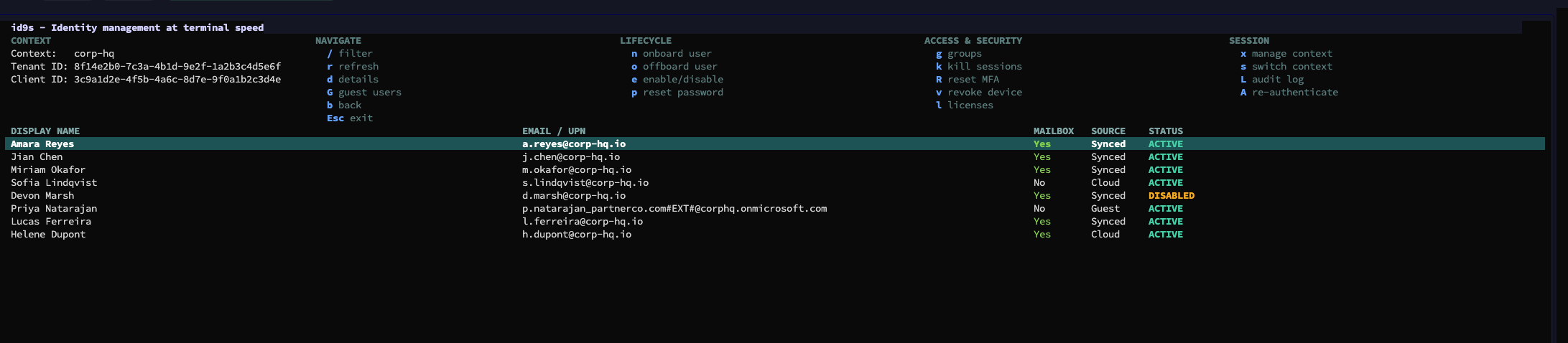
A terminal UI for hybrid identity — Active Directory, Entra ID, and Microsoft 365 — inspired by k9s.
What it does
Every action is a keystroke away from whatever's selected — no page reloads, no click-throughs.
Unlock an Active Directory account instantly, without handing off to a console.
Reset credentials on the spot, gated behind a required confirmation step.
Revoke a compromised user's Entra ID sessions in a single motion.
Guided account creation with a suggested username from accent transliteration — on-prem AD only, or straight into Entra ID.
A filterable checklist of retirement actions, pre-checked from what's actually found on the account, run best-effort behind a typed confirmation.
Clear a user's registered authentication methods and force re-enrollment on Entra ID.
Pick a registered device from a filterable list and revoke it in a couple of keystrokes.
Toggle Microsoft 365 licenses on an Entra ID user from a filterable picker, with a clear confirmation before saving.
Why not another web console
Every action is a key you already know. When you manage identities daily, the gap between a web console and a terminal is minutes versus seconds.
id9s is a single standalone binary. It speaks LDAPS (or plain LDAP, opt-in) to your domain controllers and HTTPS/REST to Microsoft Graph directly — no server to run, no dashboard to keep alive, and credentials never leave your OS keyring.
Define your AD domains and Entra tenants once, kubeconfig-style, then switch context on the fly — no restart, no re-entering credentials.
Get started
No config file to hand-write first — id9s walks you through it.
On macOS and Linux, install with Homebrew:
brew install lazy-admins/id9s/id9sso far, via Homebrew and GitHub Releases.
Prebuilt binaries for macOS, Windows, and Linux are also on GitHub Releases. Free to use under the Apache License 2.0.
id9s opens on a simple command menu — use, add, edit, delete, or clone a context, or jump straight to :users.
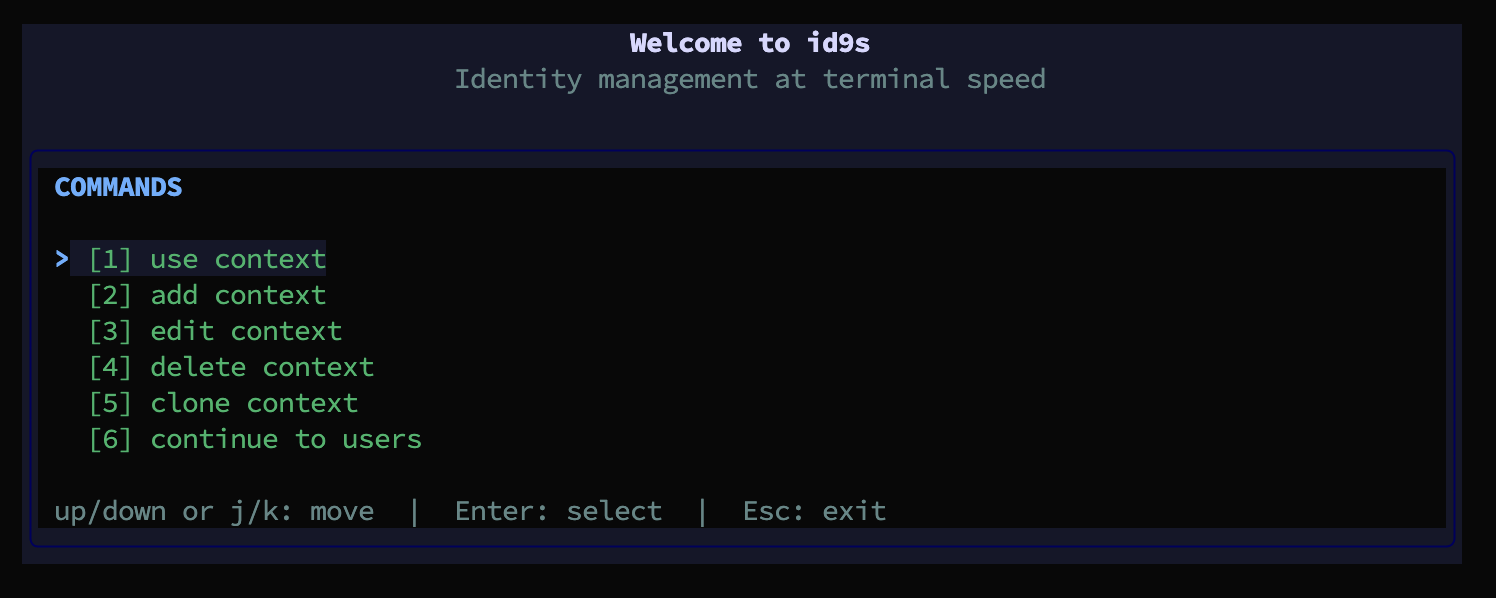
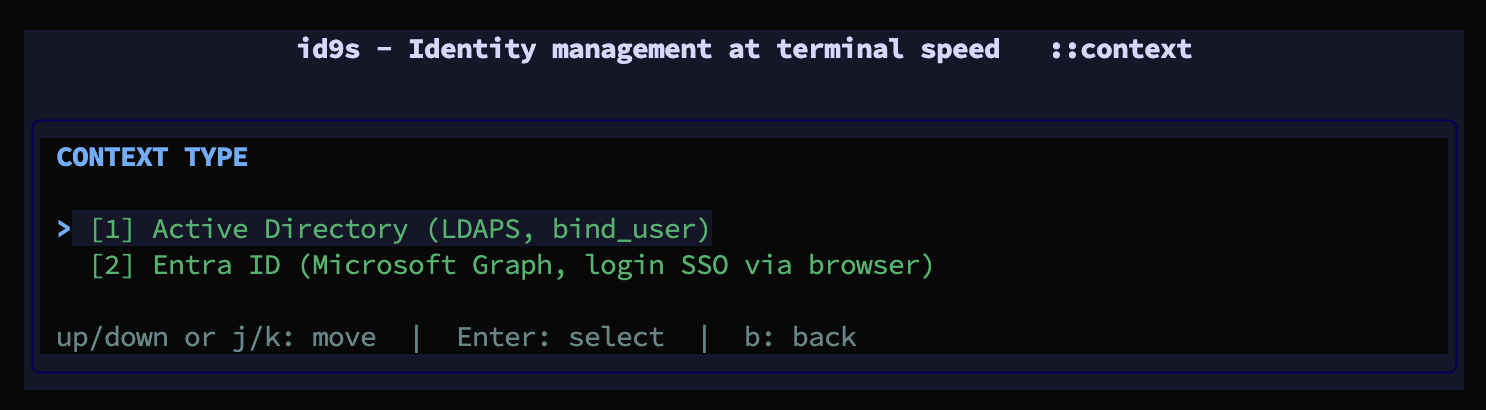
Add a context: on-prem Active Directory over LDAPS, or Entra ID via interactive browser SSO. Secrets never touch config.yaml — they live in your OS keyring.
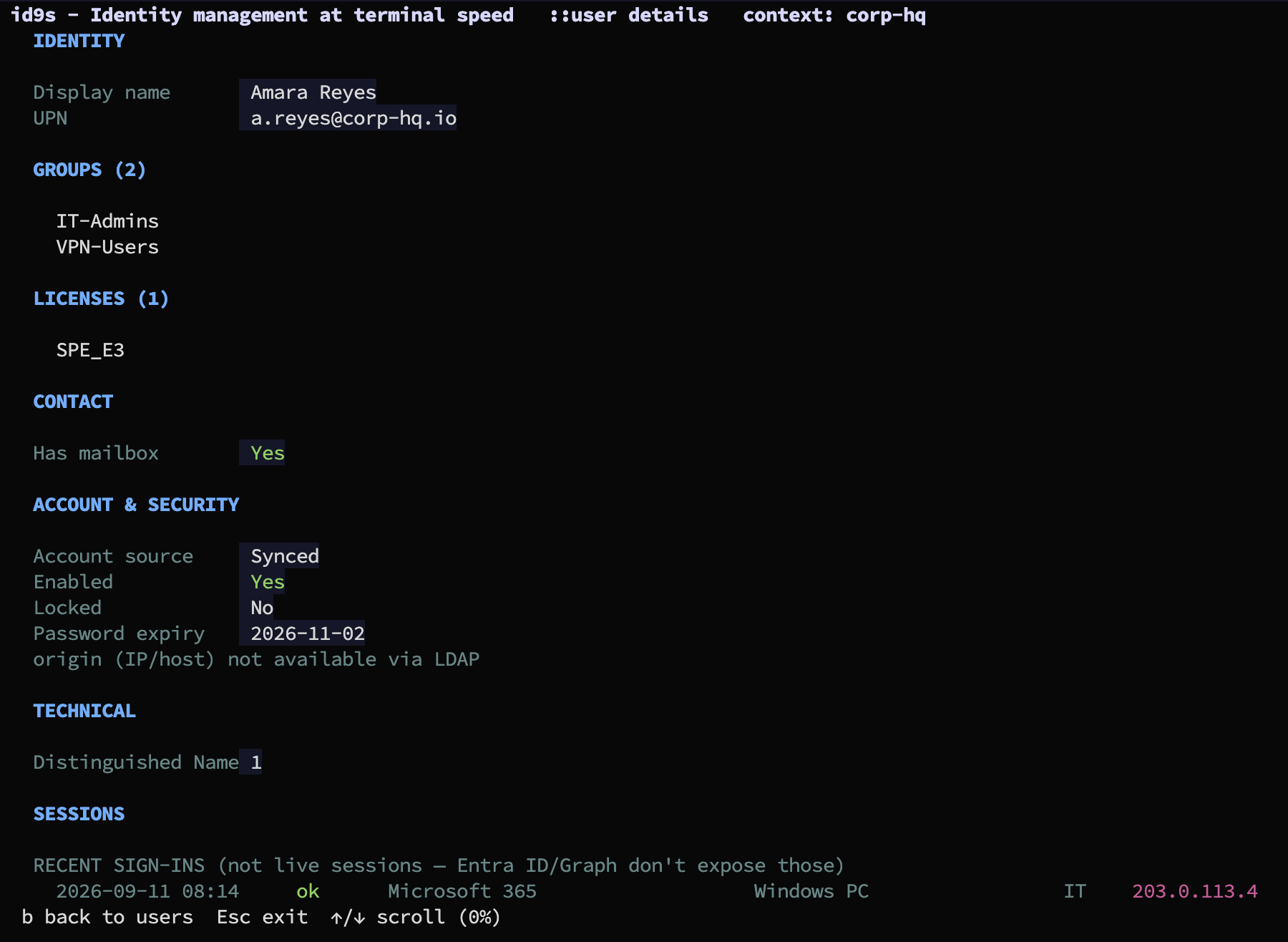
Hit d on any row for the full picture — groups, licenses, MFA methods, passkeys, registered devices, recent sign-ins — without leaving the keyboard.
Roadmap
Exchange Online mailbox management is a deliberate non-goal: mailbox permissions/delegates (Full Access, Send As, Send on Behalf) have no Graph REST endpoint at all, and even read-only mailbox settings only work for an operator's own mailbox via delegated Graph permissions — reading other users' would need an app-only permission, which requires a stored client secret and conflicts with id9s's standalone, no-secret design.